
1. Download the Mockup from free-mockup.com and open it in Photoshop.
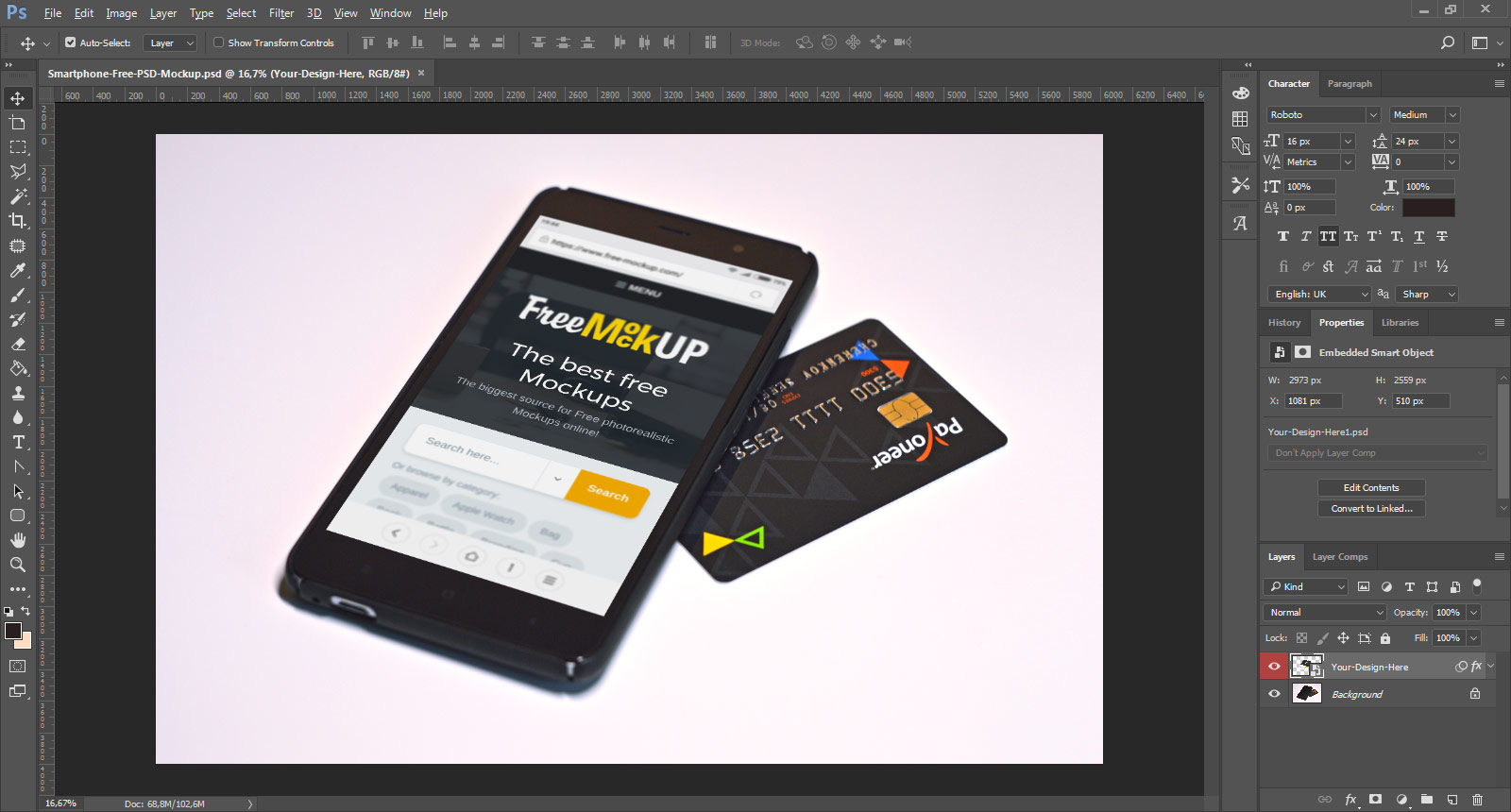
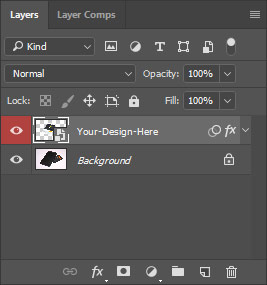
2. In the Layers Window find the Smart Object layer and Double-Click to it.
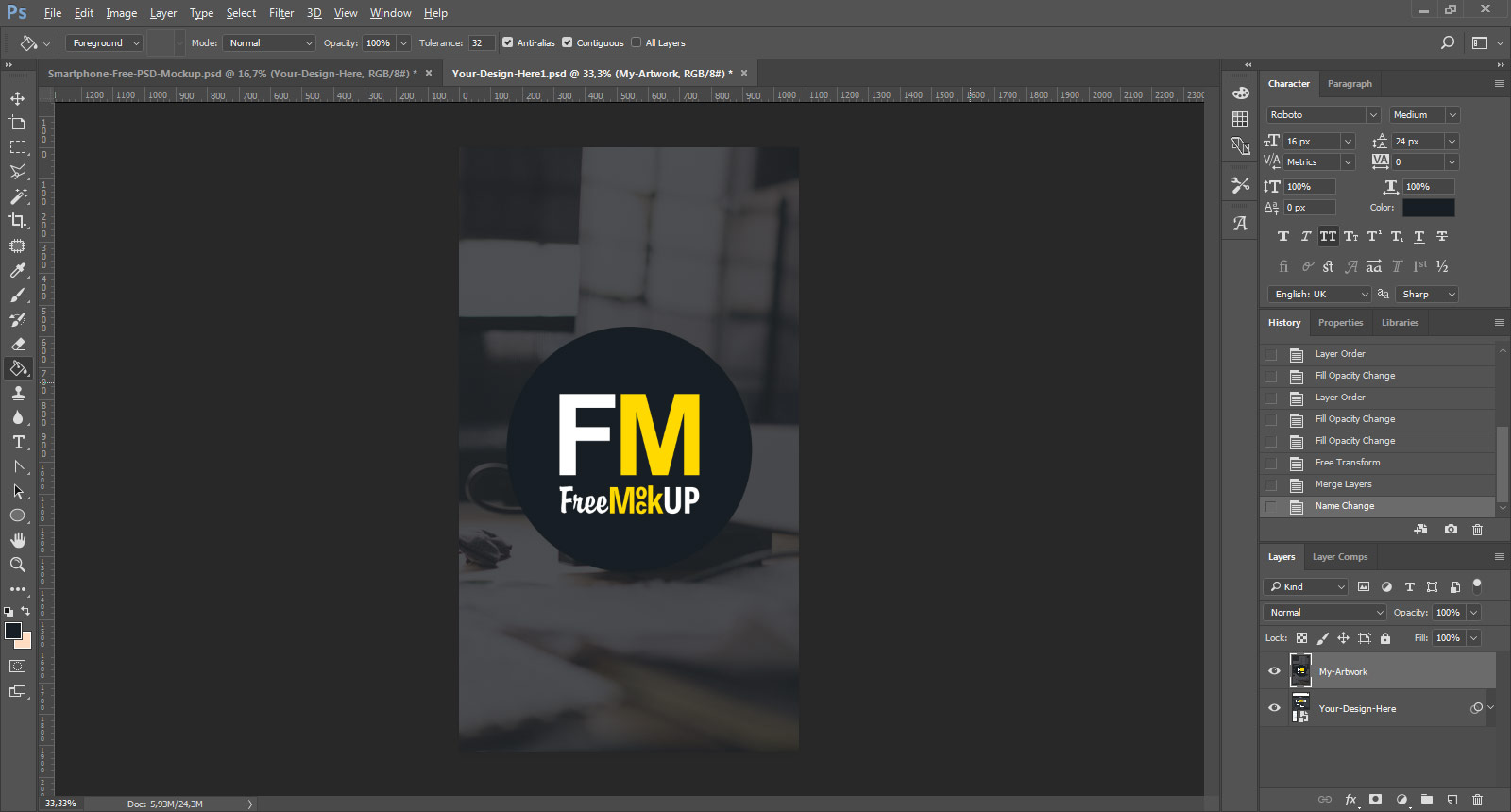
3. In the opened new window paste/place your artwork, save and close this window (press Ctrl+S (Mac: Command+S) to save and Ctrl+W (Mac: Command+W) to close).
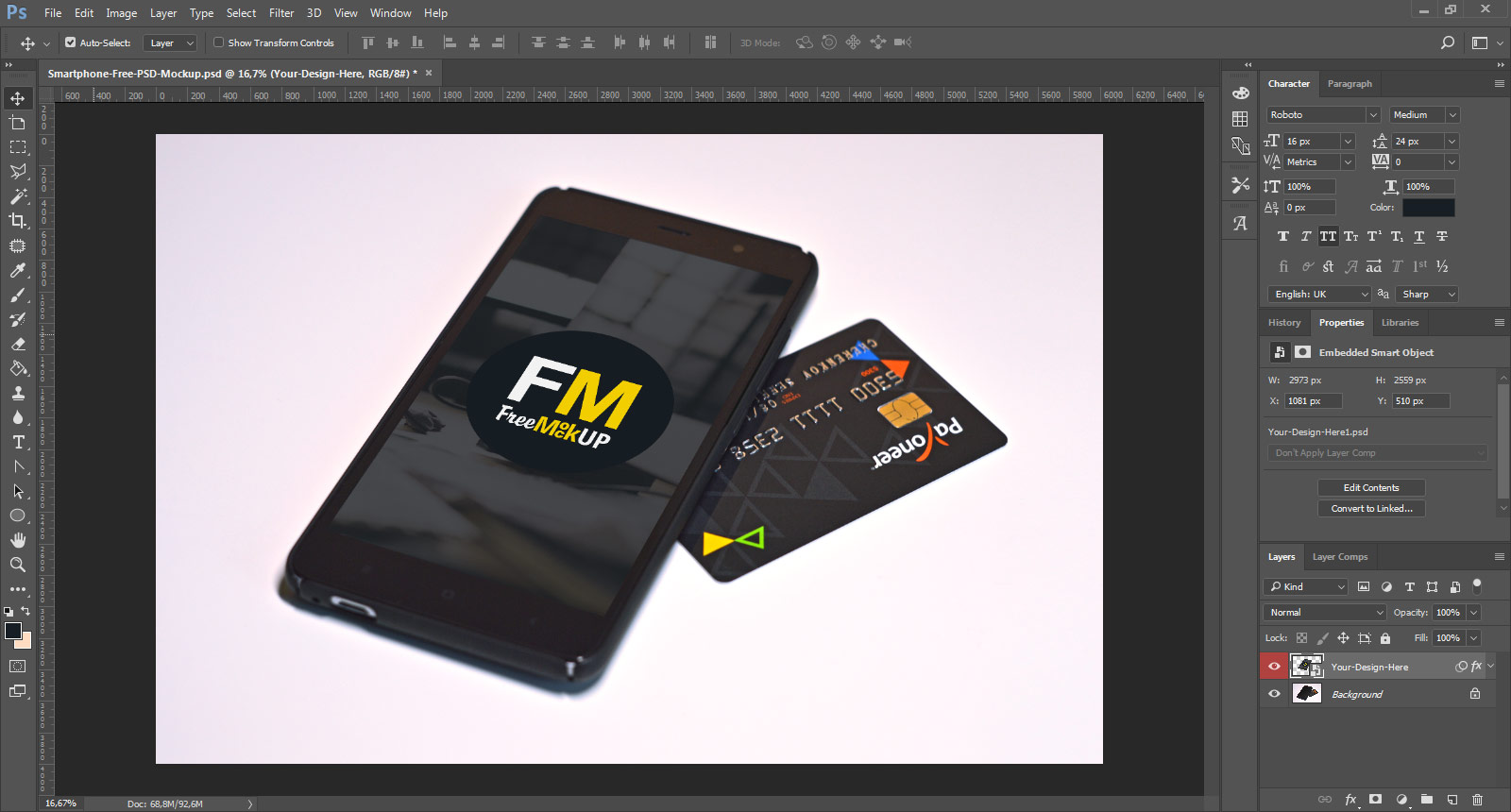
4. Taa-Dah! Your artwork will automatically appear on the Mockup. Save and showcase your work to clients.
Thank you!